CuraCare
End-to-end mobile app design for a patient-doctor matching platform, from design system primitives through to production-ready screens.
Overview
The right doctor, for you
Healthcare discovery is historically fragmented, opaque, and stressful. Existing platforms like Doctolib and ZocDoc present dense lists with poor filtering and booking flows that feel clinical and impersonal. CuraCare removes that friction.
This project demonstrates end-to-end product thinking, from a coherent design system through to polished, production-ready screens, built entirely from foundational primitives.
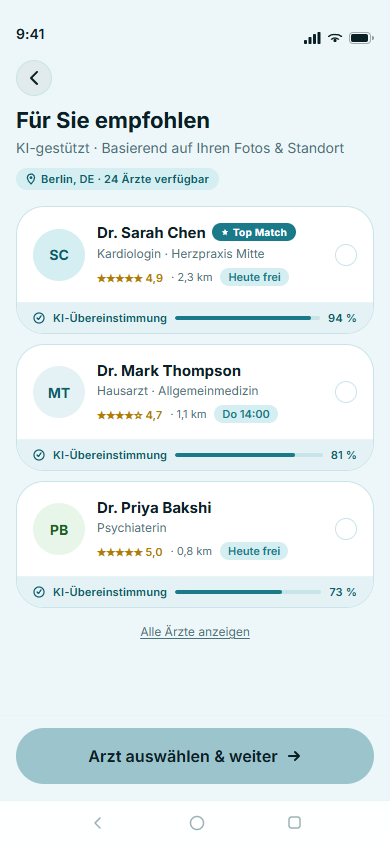
The core thesis: surfacing one great doctor is better than twenty mediocre ones. The matching feed uses an AI-assisted relevance model to immediately show patients the right specialist — based on symptoms, location, availability, insurance, and preferences.
Every design decision is anchored to one question: does this reduce the anxiety of finding a doctor, or does it add to it?
Users
Two sides of the same problem
CuraCare is a two-sided platform. The primary design focus is the patient experience, with doctor needs informing profile and availability design.
Patient (Primary)
Age 25–55, urban, smartphone-native. Needs to find a GP, specialist, or therapist — often under stress. Pain points: too many irrelevant results, unclear wait times, no sense of who the doctor is as a person, complex booking. Needs: fast matching, transparency, trust signals, easy rebooking.
Doctor / Practice (Secondary)
Specialists and GPs wanting to reach patients matching their expertise. Current platforms commoditise them as a list item with no personality. Needs: clear profile presentation, manageable availability slots, patient quality over quantity.
Design System
Built from system primitives
The design system uses a tonal palette model: 5 key hues each expanded to a 13-step tonal scale (tones 0 to 100), then mapped to semantic system roles for light and dark mode. Every token is backed by a Figma variable with text styles bound to typography variables.
Full design system Colours, Typography, Spacing, Shape, Elevation All tokens with Design and Dev views, on its own page. Open design systemScreens
Complete screen library
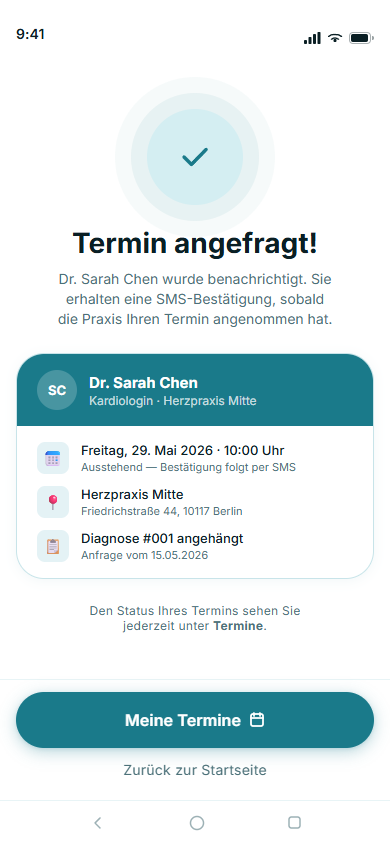
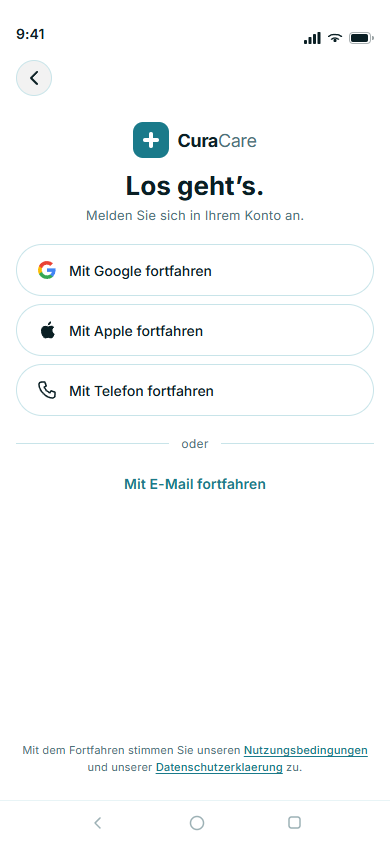
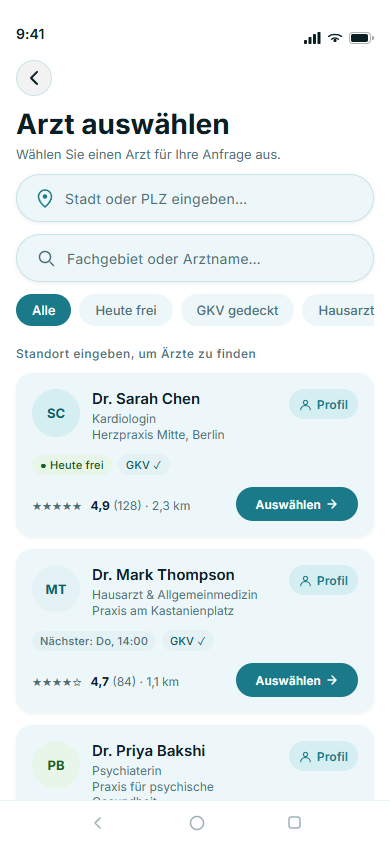
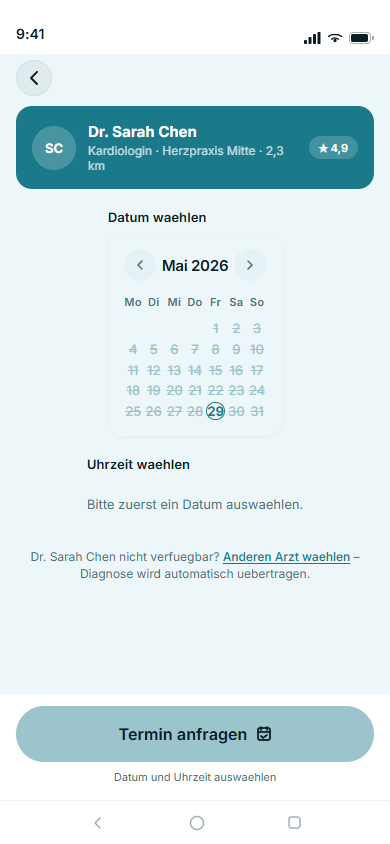
From first-open onboarding through doctor discovery, booking, and a full 5-tab main app — every screen is assembled from the same component library and design token foundation.
Onboarding & Booking Journey
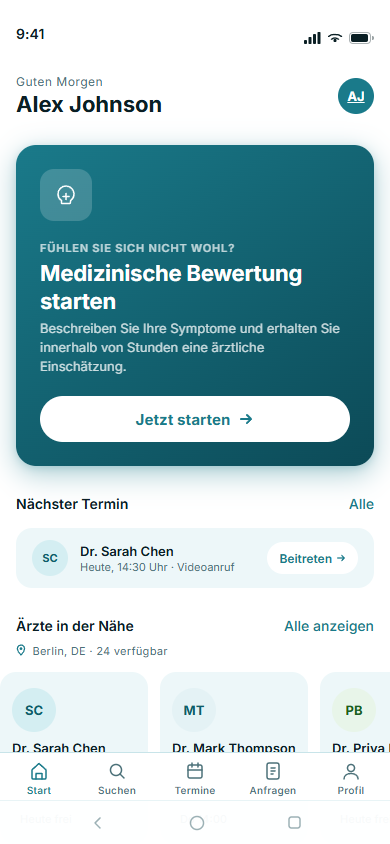
Main App — 5-tab Interface
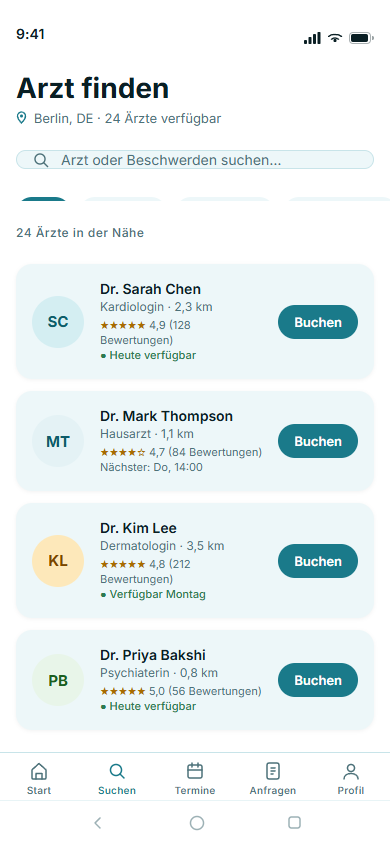
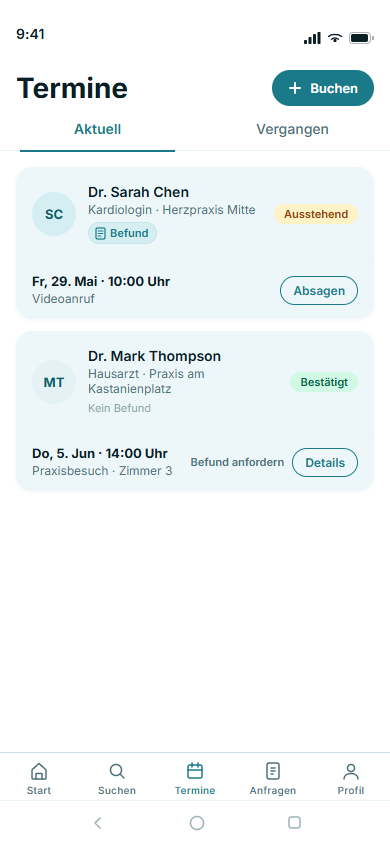
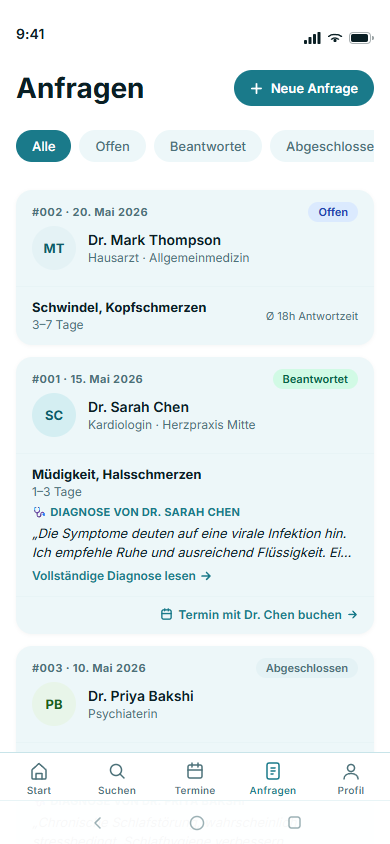
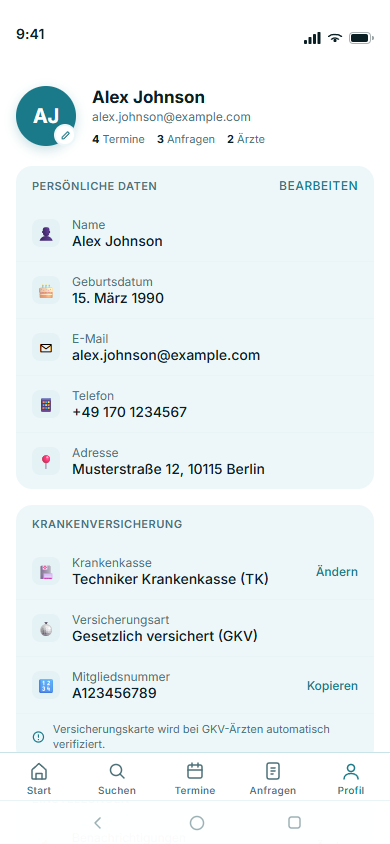
After onboarding, users land in a persistent 5-tab shell — Home, Search, Appointments, Requests, and Profile — each built from shared components and live navigation state.
Try the live prototype
Fully interactive — splash screen through to main app. Click through the real flows.
Design Principles
The decisions behind every screen
Five principles govern the design — anchoring decisions when trade-offs arise.
Trust at every step
Healthcare decisions carry emotional weight. Every design choice should reduce anxiety, not add to it — from profile richness to confirmation micro-copy.
Speed to the right match
The matching feed should feel intelligent. Surfacing one great doctor is better than twenty mediocre ones. Relevance over volume, always.
Human, not clinical
Tone, typography, and imagery should feel warm and personal. Avoid sterile healthcare clichés. CuraCare should feel closer to a concierge than a database.
Clarity over density
Complex information — availability, insurance, specialty — must be presented simply. Never sacrifice comprehension for completeness. Progressive disclosure over walls of text.
Accessible by default
Touch targets ≥ 48dp, WCAG AA contrast minimum, clear focus states, readable type at body scale. Accessibility is not a checklist — it is the baseline.